Tap the item, take the money, done. Kasmart works fully offline, turns your own static QRIS sticker into amount-filled QR codes, and totals today's sales without a notebook.
▶ Get it on Google Play See features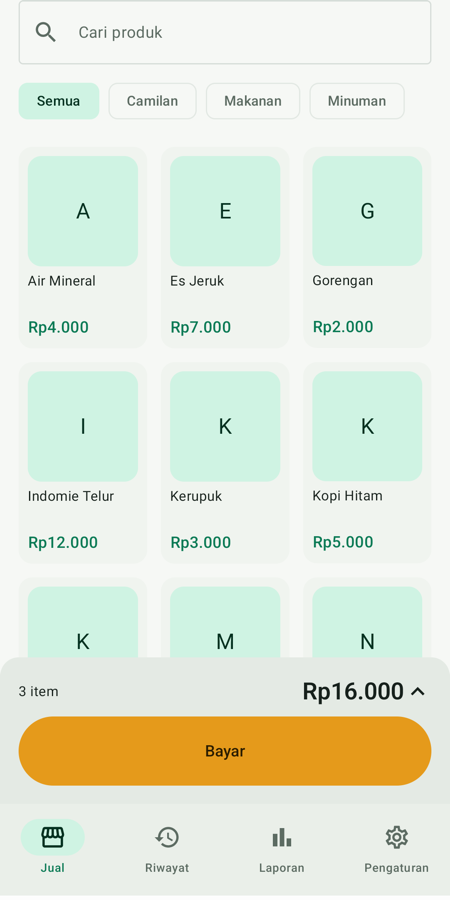
The features that actually get used at the counter — nothing more, nothing less.
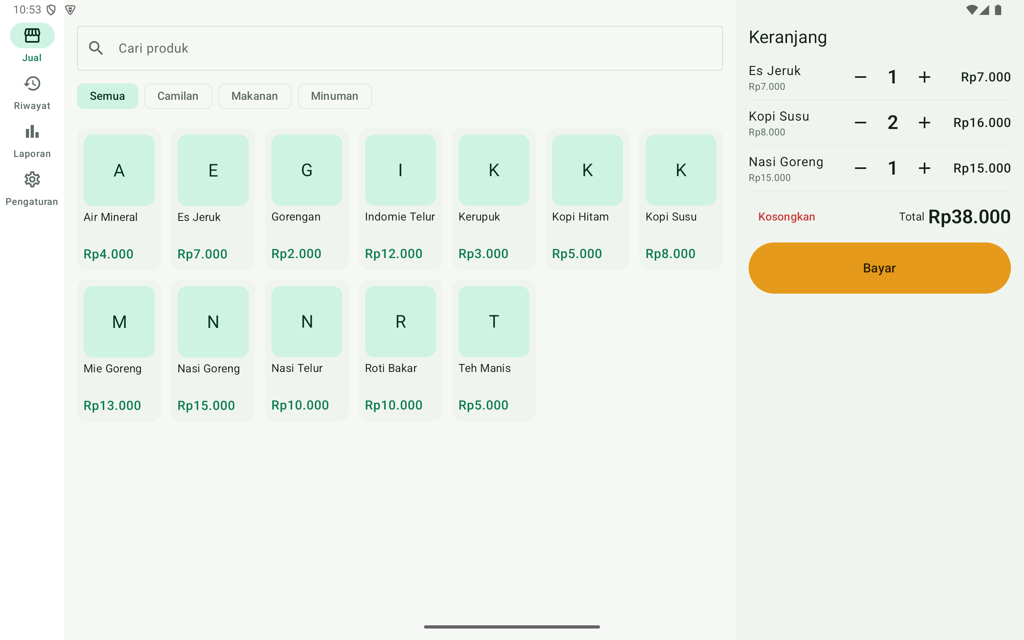
The sell screen is the first screen. Tap a product, Pay, exact cash — first sale under a minute after install.
Scan your static QRIS sticker once. Every bill becomes a QR with the amount already in it — customers just scan, no typing.
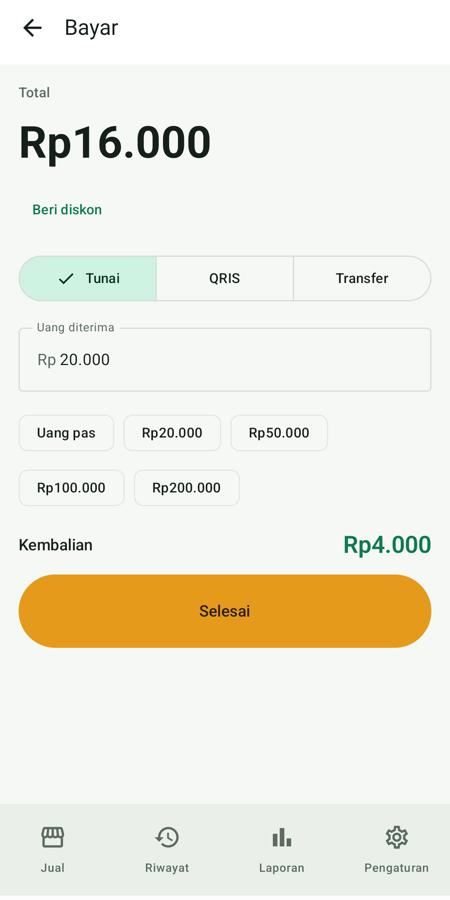
Suggested banknotes, change shown big, simple per-sale discount. Bank transfers recorded with one tap.
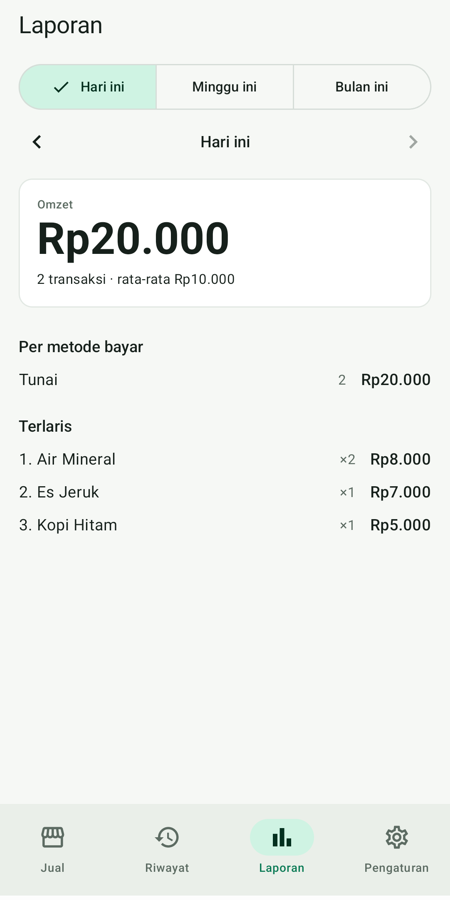
Revenue today, this week, this month; best sellers; by payment method; revenue per day. Instant, even with thousands of sales.
Everything into a single file — save to Google Drive, send to yourself on WhatsApp, or keep on the phone. Restore on a new phone exactly as it was.
No account, no subscription, no ads, no internet needed. Data never leaves your phone unless you back it up yourself.
Adapts to screen size and dark mode; on tablets the cart becomes a fixed panel next to the grid.
No sign-up, no verification. Measured: install to first sale in under a minute.
Printed on your receipts and reports.
Type a name and price, or load 12 samples to try it out.
A QRIS sticker from any bank or e-wallet. Skip it and set it up later.
No. Everything works offline. Internet is only used if you choose to save a backup to Google Drive.
No account, no login. Open the app, name your shop, start selling.
From your own static QRIS sticker (any bank or e-wallet). Kasmart only adds the amount to that code — no third party, no fees.
Not if you back up. One backup file holds products, photos, sales history and QRIS; restore on a new phone in seconds. Kasmart reminds you when it has been a while.
Printing to 58 mm Bluetooth printers and sending via WhatsApp are coming in a later update. Receipts can already be viewed on every sale.
Free, with no ads and no subscription. A one-time Pro version (report export, logo on receipts) will come later.
 Kasmart